UPPCL is now installing smart meters in every household. There is certain misinformation in the field regarding smart meter accuracy and consumer rights in this regard, as well as whether, after installing a smart meter, my power supply will be cut off at midnight if recharge is not done, and frequent messages regarding recharge and disconnection multiple times in a day. This Smart Meter Series covers everything about smart meters.
First thing first, smart meters are highly accurate in a way that there is no accuracy error in reading and demand measurement; the fear is only about disconnection and how old arrears are handled, if any.
When disconnection can happen, Timings:
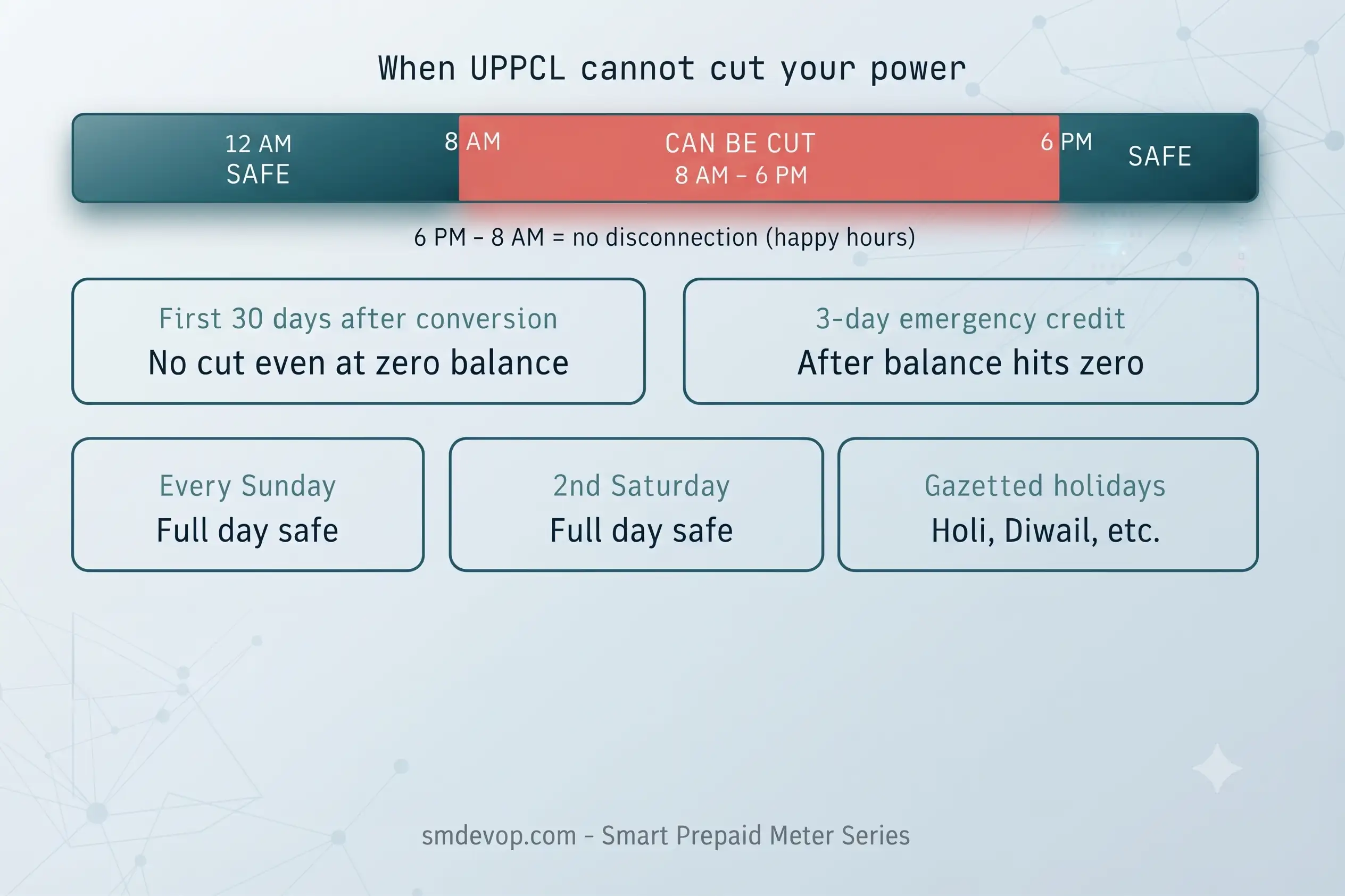
There are times when UPPCL can not disconnect the supply even when the balance reaches zero or negative. These scenarios are as follows:
| Protection Type | Rule |
| Happy Hours | No disconnection between 600 pm and 800 am, the entire night and early morning are safe |
| Every Sunday/2nd Saturday | No disconnection |
| gazetted holidays | No disconnection |
| Prepaid Conversion Cool Off | One-time grace period of 30 days' supply will not be cut even if the balance is zero or negative |
| Emergency 3 Day period | You still get 3 more days before disconnection can happen |
Practical implication:
- If the connection is converted today to Prepaid Mode, disconnection will not take place for a month if the balance is negative. Even after that, it will disconnect on the next eligible day. Eligible day means non-Sunday, public holiday, etc as mentioned above.
- It's Friday today, and Balance is exhausted at 7 PM. Supply will not disconnect for the entire Friday, 2nd Saturday, and Sunday. Monday, 8 AM, supply will be disconnected.
How to check is supply is disconnected:
The obvious way is to check the main supply. Also, there is a bridge indicator over the meter, which displays the status of disconnection and reconnection.
Reconnection Process after Disconnection:
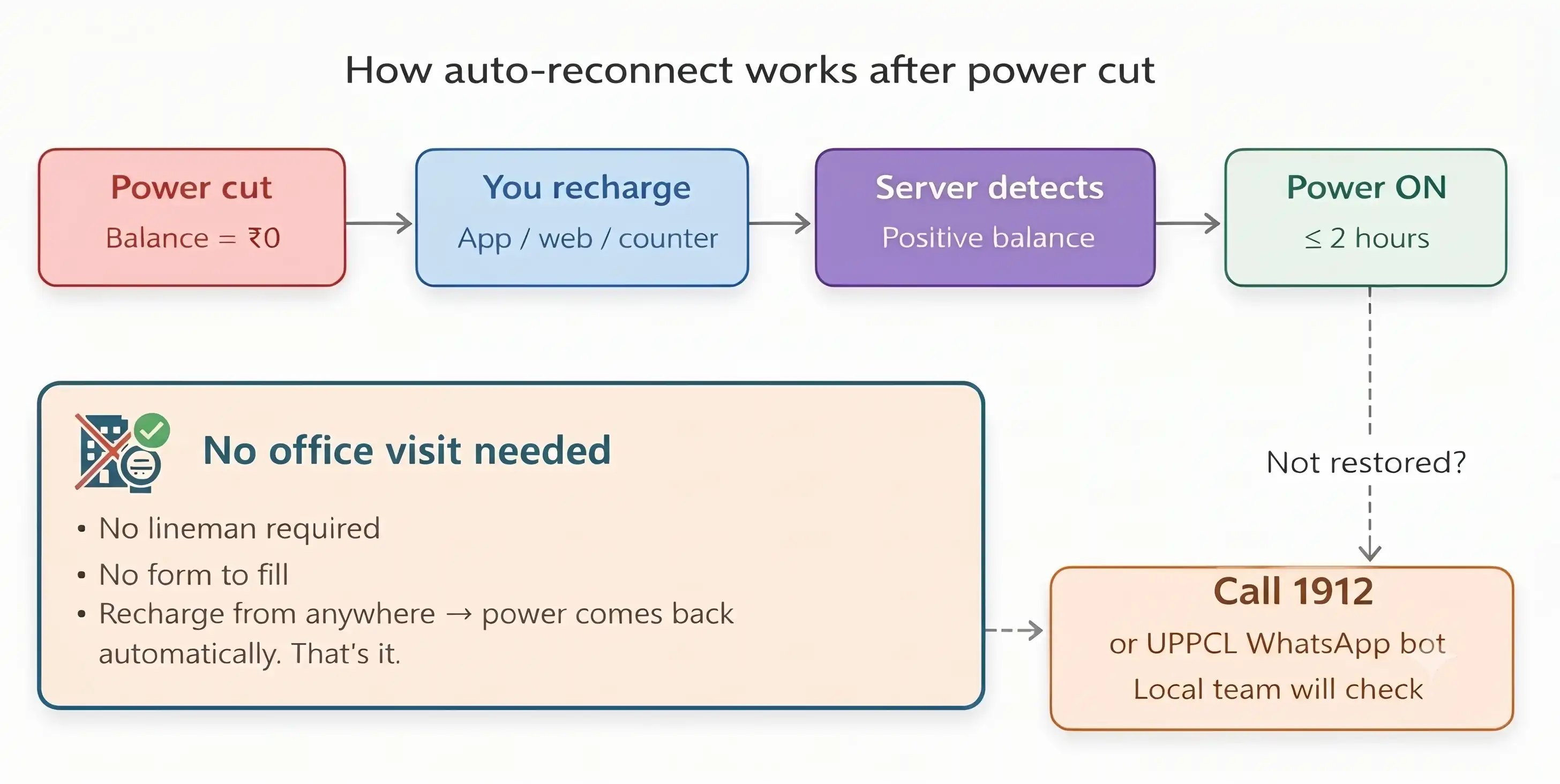
The reconnection process after disconnection is pretty straightforward. You deposit money by either visiting the UPPCL office or Online. The server gets information about this and initiates a reconnect command, after which the Smart Meter Relay will be connected. As a disconnection, you can verify the status of reconnection directly from the smart meter display.
This was the whole disconnection and Reconnection process for the UPPCL smart meter. For any further queries, please use Questions & Community Forum - UPPCL Help by Engineers - SMDEVOP.
Have questions about this article or your electricity bill?
Post your question in our Community Q&A Forum to get verified answers from engineers and consumers.
Ask in the Community Forum →
💬 Reader Discussion 0 comments
Share your thoughts, questions, or field experiencesNo comments yet
Be the first to share your thoughts, clarification, or question regarding this article!